Each project connects a concrete problem with design decisions and an honest account of what the available evidence establishes.
01 / R0VER0K
From observations to an analyst workflow.
The problem
Organize public-source observations and supporting files into a repeatable review process.
My contribution
Develop the Python engine and a separate government-oriented operator launcher, refining intake, diagnostics and analyst feedback across archived versions.
The implementation
Structured case records, local prioritization, entity and timeline outputs, SHA-256 manifests and combined reports.
Evidence available
Seven supplied archives labeled v0.5.3 through v0.7.0 were compared. Source structure is documented; hardware operation, deployment results and classifier accuracy have not been independently established.
Bring richer models and materials into a browser game while keeping controls responsive.
My contribution
Creative direction, programming, world assembly, gameplay integration and repeated review of the playable result.
The implementation
Shared model buffers, bounded detail selection, staged loading and quality controls. Licensed art is credited separately from custom systems.
Evidence available
The v92 release passed automated geometry, movement, collision and startup checks. Normal and lighter browser paths were inspected. These checks do not certify every device or promise a fixed frame rate.
Understand how sub-GHz transmissions relate to observable device behavior.
My contribution
Design controlled capture, archival, comparison and authorized replay experiments.
The implementation
Document channel settings, timing and test conditions; separate recorded observations from inferred explanations.
Evidence available
The public laboratory explains waveform, wavelength and idealized propagation relationships. Its interactive values are illustrative calculations, not live measurements from a receiver.
Present security work, photography and game development through one coherent portfolio.
My contribution
Information architecture, visual direction, interaction design and iterative implementation.
The implementation
Subject-based collections, dedicated project pages, accessible controls, local search and a model viewer that loads on request.
Evidence available
Release checks cover local resources, response protections, search behavior and model dependencies. Browser review checks the visible desktop and phone layouts.
Abstracted R0VER0K workflow based on the reviewed source. Case data, operational settings and original packages are not included.
LIVE PROJECT / KAV: GOLDEN HOUR
01 / GAME DESIGN
A world made for wandering.
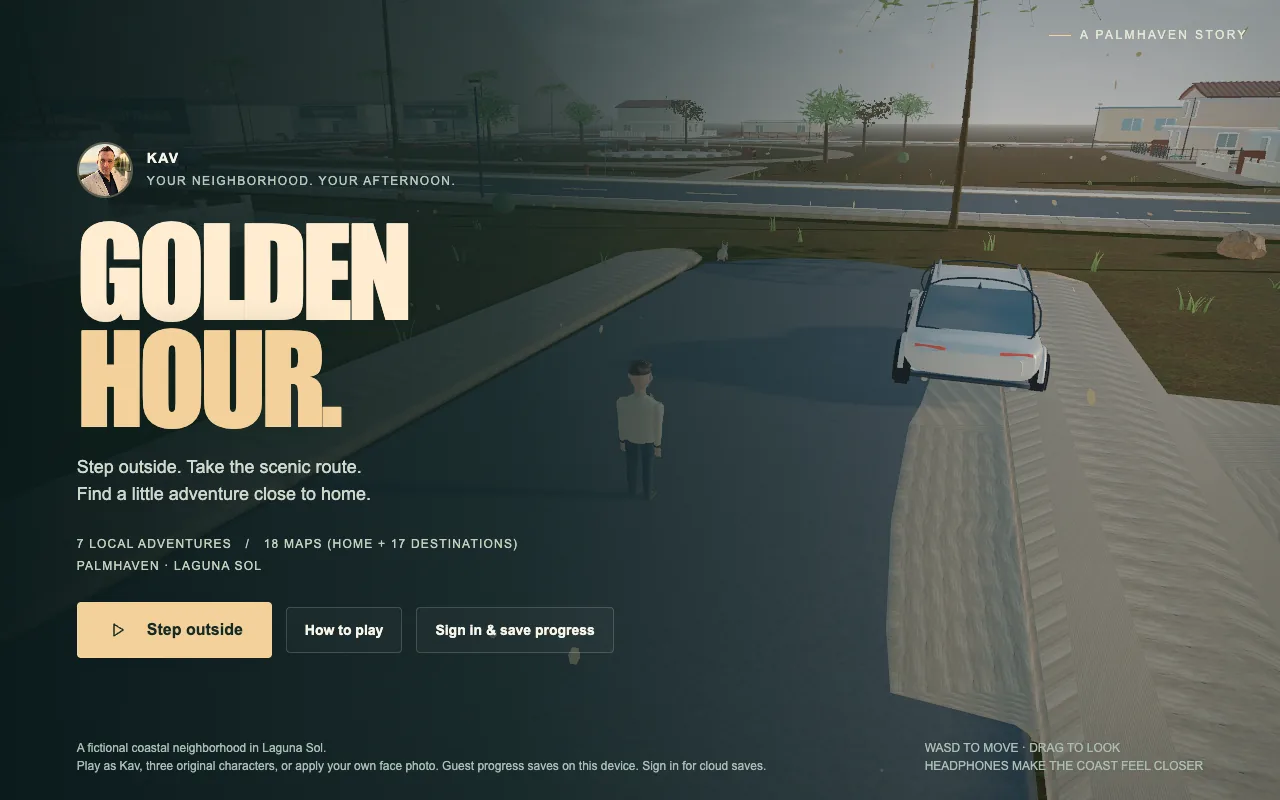
Kav: Golden Hour is my browser adventure inspired by the Palisades in Laguna Niguel. It connects my interest in landscapes with interactive world building.
My focus
Game concept, atmosphere, and creative direction.
The experience
A 3D world visitors can open in their browser and explore at their own pace.
What you can try
The published game is available through the link below. It continues to evolve as a separate project.
Design challenge: connect a calm coastal world with larger adventures while keeping browser play approachable.
Approach: scalable graphics, procedural environments, a connected four-world mystery, resident interactions and optional cloud saves.
The starting point: a calm neighborhood that visitors can explore without installing a game.
The current approach: shared material systems bring grass, stone and water across the worlds. Detail levels and adaptive resolution balance appearance with the device doing the rendering.
A deliberate tradeoff: nearby objects receive more detail; distant scenery uses simpler representations. The world remains stylized, with realism improving through materials, lighting and motion.
From lunar detail to wildlife and everyday light, these photographs bring together the subjects that keep me looking closer.
My focus
Photography, visual selection, and the organization of the archive.
The approach
A concise Best Work selection opens into subject-based collections. Full photographs retain their proportions in the viewer.
What you can explore
Lunar studies, golden-hour landscapes, companions, nature details, portraits, architecture, night skies, and safari wildlife.
From capture to collection
Capture: follow light, subject and viewpoint. Selection: compare related frames and keep a concise opening collection. Presentation: retain image proportions, load smaller previews first, and let visitors open the full composition.
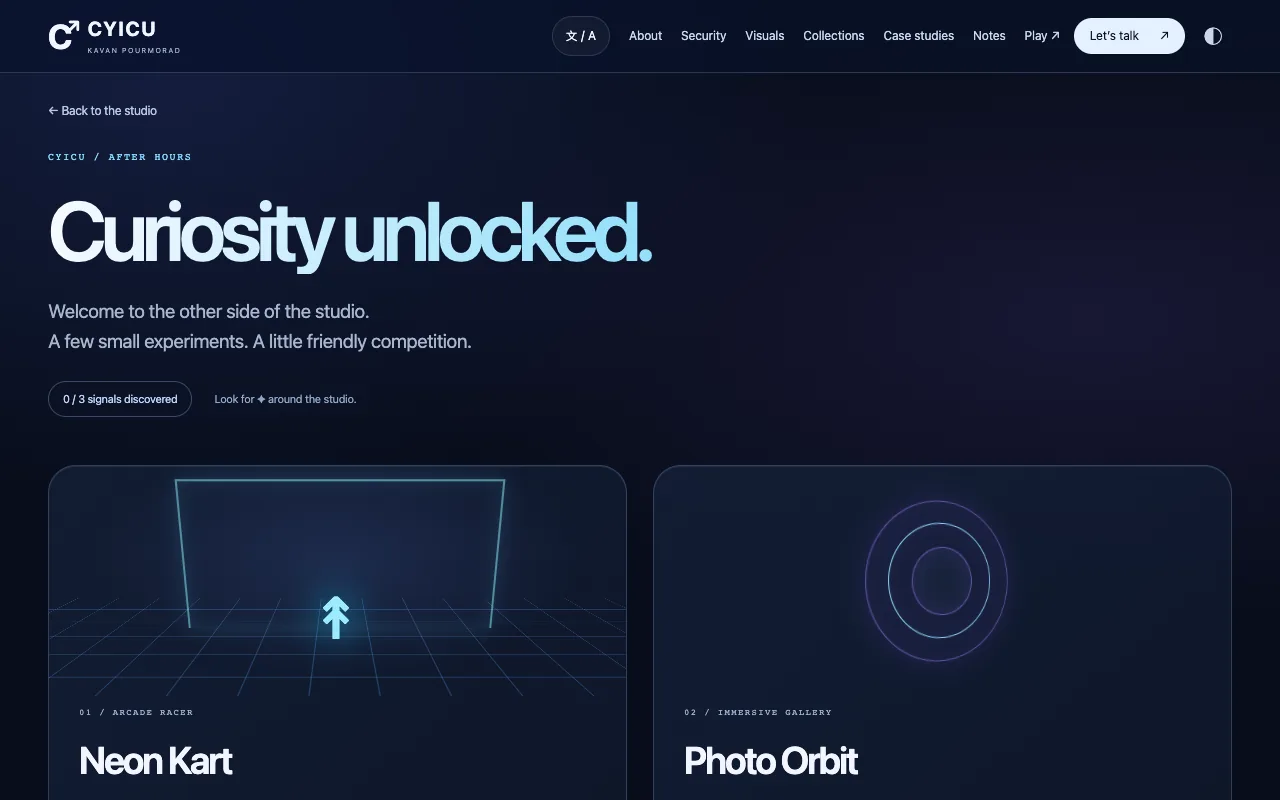
CYICU Studio brings my security and creative work into a single place, with small discoveries for visitors who choose to explore.
My focus
Portfolio direction, content, and the creative brief for the interactive experience.
The build
Responsive galleries, light and dark themes, keyboard-friendly photo viewing, and on-site language options.
What you can try
The hidden arcade includes a neon racer, a matching game, and a photo orbit. Personal scores stay in your browser.
Designing the flow
The portfolio opens with the work, then gives curious visitors a second layer: research demonstrations, design notes and the hidden arcade. Motion remains restrained around reading, while games open as separate experiences.
Keyboard controls, mobile layouts and reduced-motion preferences are part of the same design process. Public demonstrations and private supporting material have separate access paths.
Explore the actual car, boat, resident and wildlife geometry from Golden Hour. Rotate a model, choose a labeled detail, and compare its original materials with a neutral clay or roughness view. Each model loads only when requested.
Select a model to inspect its construction.
Actual game geometry is presented in studio lighting. Animated world effects are demonstrated in the game.
Loads on request. Drag, pinch or use the keyboard controls. Automatic movement respects reduced motion preferences.
Game dimensions and rendered triangle count appear after loading.
One car, two geometry budgets.
Select Detailed concept car or Lightweight concept car in the model menu, keep the same view and measure each. The lightweight version uses 30,067 triangles in the game. The live count above includes the studio floor. The test reports browser CPU submission time, which excludes GPU completion and does not predict in-game frame rate.
Open the 3D viewer to measure. The compact model uses fewer triangles and keeps the original body shape.
01 / GEOMETRY
A model with a place in the world.
pworld = Mworld plocal
Indexed triangle meshes form the body, cabin and wheels. A transformation matrix places each part in the scene. Uniform scaling fits the model inside the game's existing vehicle envelope, preserving its proportions. Dimensions describe the game asset, not a production car.
02 / LIGHT
Materials carry the detail.
Color · Metalness · Roughness · Clearcoat
Physically based materials give paint, metal, rubber and glazing different responses to light. Normal maps vary fine surface shading without adding equivalent mesh geometry. Glazing uses tinted transparency as a performance approximation; this is not a ray tracing demonstration.
03 / STEERING
Different paths through a turn.
δ = arctan(Lω / v)
The game estimates steering from wheelbase L, yaw rate ω and forward speed v, with limits near zero speed. Separate front-wheel angles represent the inside and outside paths. This animates steering; it is not a calibrated tire-force simulation.
04 / MOTION
Time makes movement consistent.
xnext = xtarget + (x − xtarget)e−kΔt
Elapsed-time damping smooths transitions without applying a fixed step per rendered frame. A critically damped spring adds restrained body pitch and roll. These are visual responses, rather than measured suspension dynamics.
05 / CHARACTERS
Place a foot. Solve the leg.
cos θk = (d² − a² − b²) / (2ab)
A two-link inverse kinematics solver relates the hip-to-foot distance d to thigh and shin lengths a and b. Reach limits keep targets attainable. During stance, the foot moves backward relative to the advancing body. Character motion is procedural, not motion capture.
06 / PROGRAMMING
Detailed worlds, responsive rendering.
Frame interval (ms) = 1000 / fps
A 60 fps target gives about 16.7 milliseconds per frame. Shared mesh buffers, rigid-part batching, instanced vegetation and distance-based detail help keep rendering responsive. Nearby obstacle lookup reduces repeated map-wide collision searches without replacing the existing collision tests. Soft character and wildlife contacts use one bounded instanced draw. The game offers lighter quality settings and a local device report; results depend on hardware and scene complexity.
REAL-TIME GRAPHICS / ENGINEERING NOTEThe mathematics of a responsive world
Every rendered frame has a time constraint. In graphics engineering, a rendering budget is the time available to prepare that frame. These models explain how Golden Hour balances visible detail with responsive play.
01 / TIME
Milliseconds shape the experience.
Ttarget = 1000 / ftarget
ftarget is the target frame rate in frames per second; Ttarget is the corresponding interval in milliseconds.
30 FPS33.33 ms60 FPS16.67 ms120 FPS8.33 ms
Geometry, shading, simulation and browser scheduling all affect the achieved cadence. The interval is a target, rather than a guarantee. Golden Hour combines shared model data, instanced scenery, nearby obstacle lookup and staged loading to reduce repeated work.
02 / IMAGE AREA
Scale changes area quadratically.
P(s) ≈ W H (ρ s)2
W and H are viewport dimensions, ρ is the base rendering pixel ratio and s is the linear render scale. Thus P(s) / P(1) ≈ s2.
1,498,176 idealized pixels per image
Illustration: 1920 × 1080 at ρ = 1; integer buffer rounding is omitted. Pixel count is not total rendering time: geometry, simulation and extra rendering passes also matter. This control illustrates the model and does not change game settings.
03 / FRAME PACING
The average is only part of the story.
favg = 1000N / ΣΔti
N is the number of sampled intervals and each Δti is measured in milliseconds. The 95th percentile identifies the upper part of the interval distribution.
Blue bars: frame intervals. Dotted line: the 16.67 ms interval for 60 FPS.
Evenly spaced intervals maintain a consistent cadence at the same 60 FPS average.
Both synthetic 30-frame sequences have a 60 FPS average. These are mathematical illustrations, not recorded game benchmarks. The percentile uses the nearest-rank convention.
In the game, Pause → How smoothly does it play? provides a separate device recording. CPU submission and available GPU timing describe different parts of the pipeline; they are not simply added to calculate frame rate.
Vehicle asset: Car Concept by Eric Chadwick / Darmstadt Graphics Group GmbH, adapted under CC BY 4.0. My work here covers integration, geometry adaptation, rendering, interaction and game systems. Visible plate branding and steering emblem are removed; wheel pivots and glazing are adapted. Source license.
Technical references and scope
The equations describe the implemented mathematical models. They do not establish that every game surface or motion is physically exact.
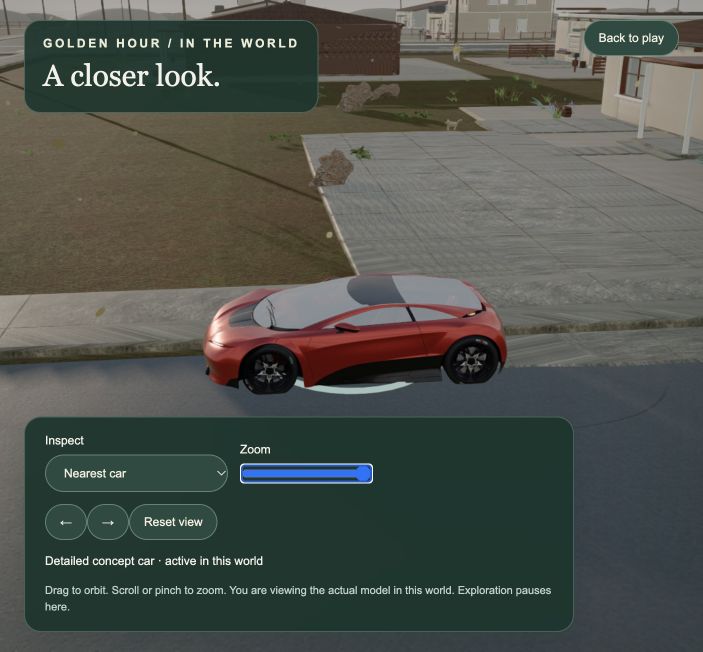
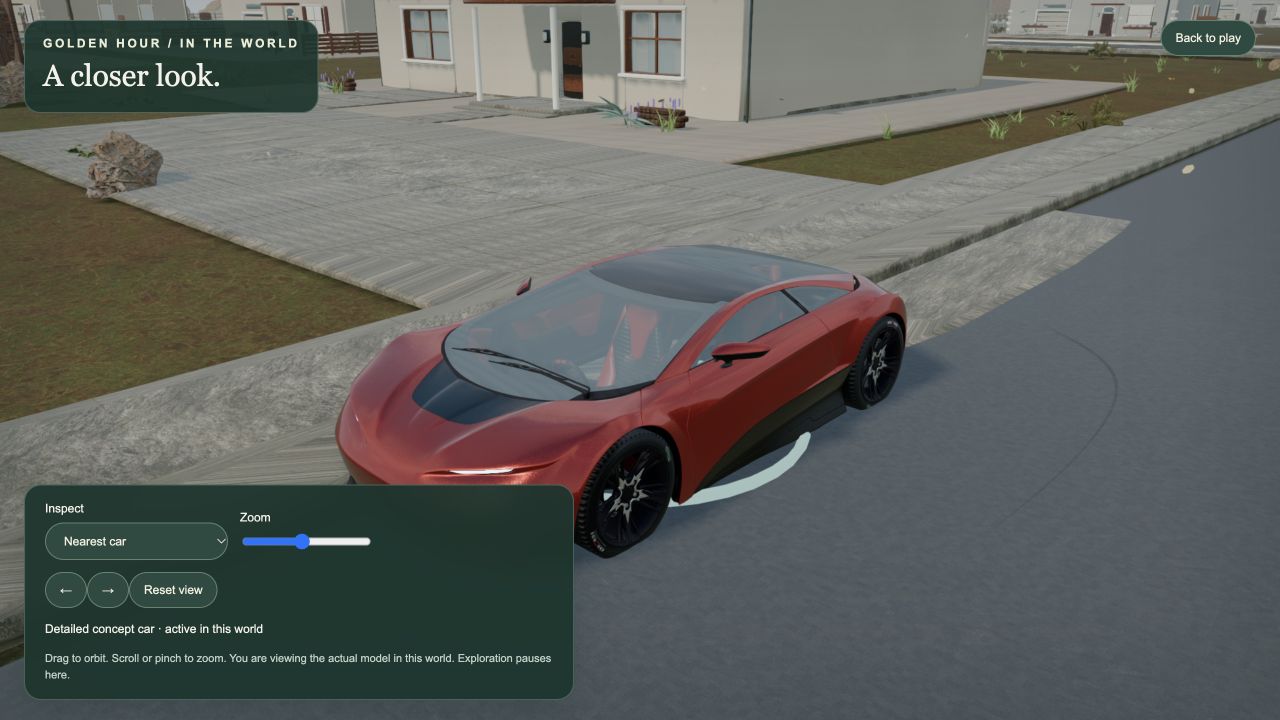
Reveal the later capture to compare the archived v88 and v92 inspections. Both images come from the playable game.
Earlier capture · v88Later capture · v92
The archived captures use different camera positions and lighting. They document development; they are not a controlled image-quality or performance benchmark. The concept car is adapted licensed art; integration, glazing and startup behavior are part of the game development work.
Visible change
Clearer cabin glazing reveals the existing seats and dashboard. Compact vehicles also gained geometric tire channels and layered lamp detail.
Behavioral change
The main detailed car is prepared from the home spawn in normal browsers, including Smooth mode, within the existing clone budget.
Measured with context
Use the game’s device report for frame-time samples from your own hardware. No cross-device speed increase is claimed from these captures.
My security framework is organized around defined scope, reproducible evidence, and clear reporting. The public overview explains its intended workflow for authorized assessments.
This is a framework overview. Private engagement details and client outcomes are not published here.
2025 / Iteration
Successive versions of R0VER0K were developed through 2025. The emphasis was on bringing assessment steps and evidence into a repeatable workflow.
Cambodia / Applied version
A version was created in Cambodia for government use with a stronger OSINT focus. My personal testing version supports separate experimentation, with future use or commercialization under consideration. Internal configurations and engagement details are not published here.
Source archive / Seven milestones
Seven supplied archives, labeled v0.5.3 through v0.7.0, now support a source-based history of the Python engine, government launcher, evidence pipeline, and local classification. The original packages remain private.